

This happened live, on a call, while a prospect was demonstrating that his environment was locked down.
We had asked whether anything outside his approved tool list could be reached from a corporate machine. He said no, and shared his screen to show us that Claude was blocked. He opened Edge and typed claude anthropic into Bing.
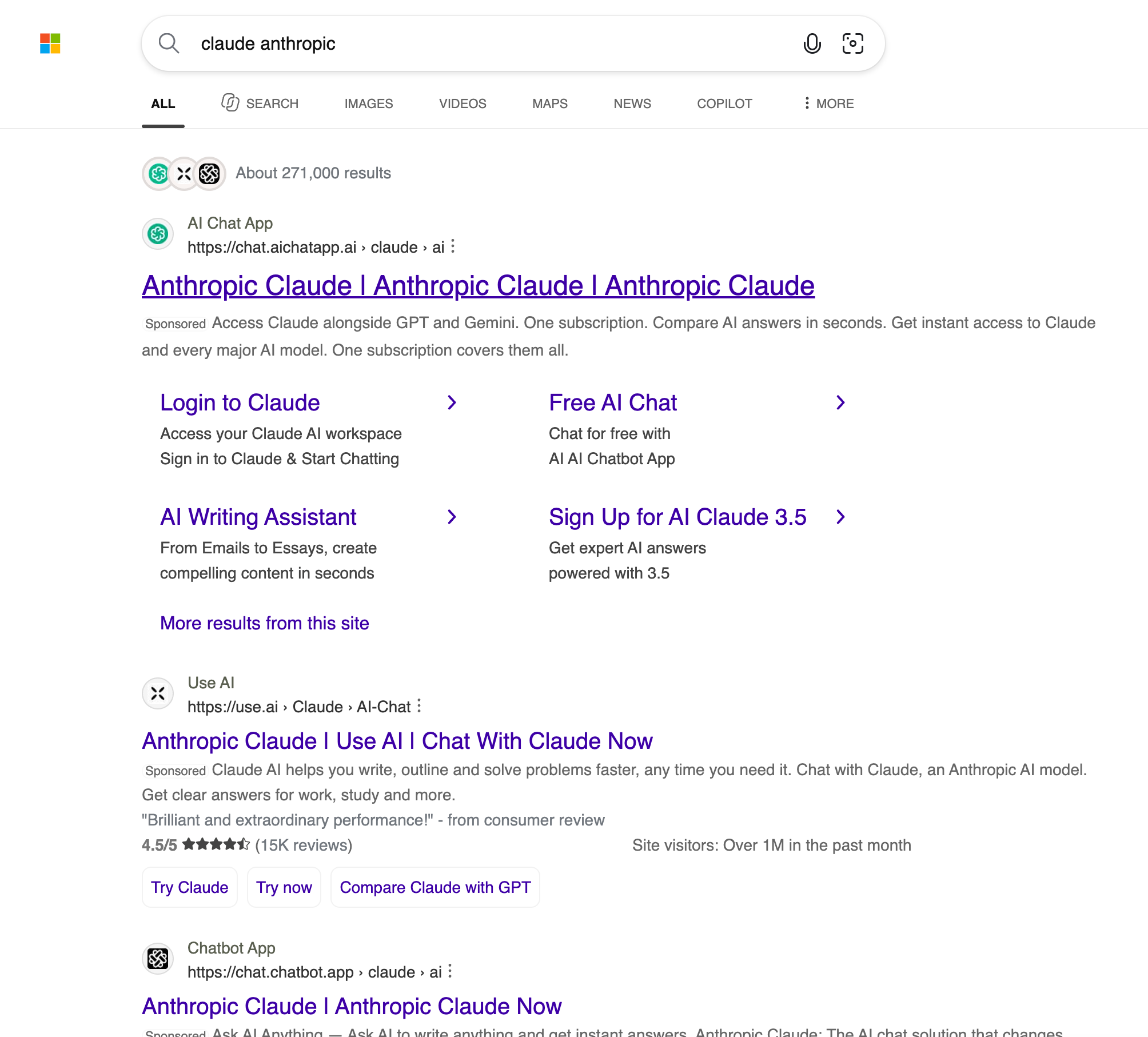
claude.ai was blocked. His policy did exactly what he built it to do. But above the organic results sat three sponsored listings offering the same model. He clicked the third.
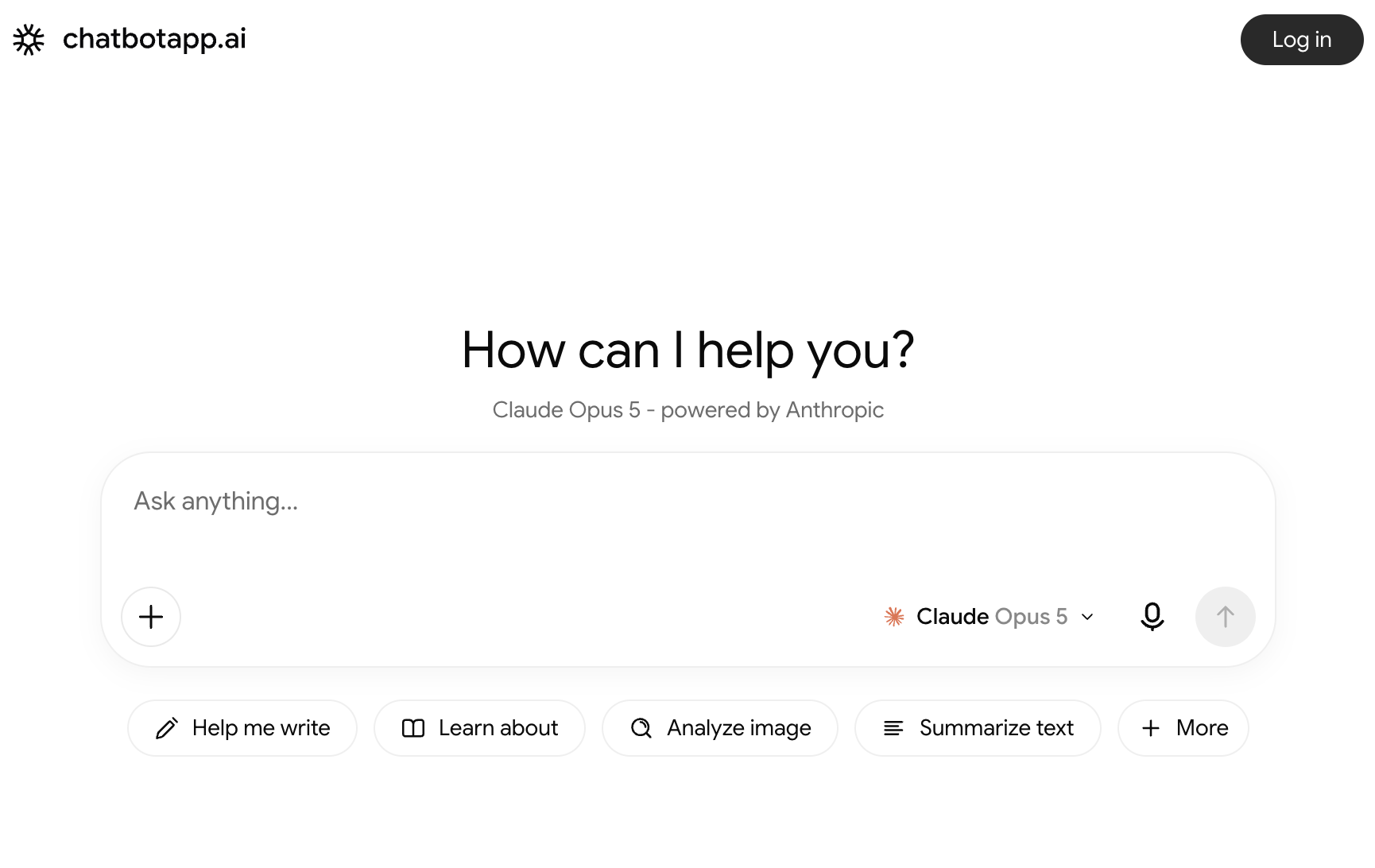
It loaded. Prompt box, file upload, and under the heading, "Claude Opus 5 - powered by Anthropic."
Forget whether Claude is approved
That question is a distraction, and it is the one everybody asks first.
Suppose Claude had been fully approved at this company, with a signed agreement, zero-retention terms, and SSO. This page would still be sitting one search away, and it would still be a channel where any employee can paste any text and upload any file to a company nobody has evaluated. Approving a vendor does nothing about a route that does not go through that vendor.
The exposure is not a policy gap about one tool. It is an open pipe, and it has properties worth stating plainly:
No account, so no identity. He did not log in. There is no user to attribute a session to, no access to revoke when someone leaves, no way to answer who did this.
Files, not just text. The upload button means whole documents leave intact. A contract, an export, a customer list. Not a paraphrase an employee typed from memory.
No log you own. This is the one that should worry a CISO most. After an incident, the standard first question is what left and when. Here the honest answer is that you cannot know. The request never touched your infrastructure. There is nothing to review, nothing to subpoena, nothing to hand a regulator.
An unknown set of recipients. Read the first ad again: access Claude alongside GPT and Gemini, one subscription, compare AI answers in seconds. That is not a Claude client, it is a broker, and the model name in the second screenshot is a dropdown. These products exist to put one prompt in front of many providers. So whatever leaves goes first to the broker, then onward to whichever models it carries, under retention and training terms nobody at the company has read.
Which quietly deletes the work. Vendor selection, security review, DPA, retention terms, regional processing. All of it assumes you know which company receives the data and which model processes it. Here an employee picks from a dropdown on a site that acquired them through an ad.
And it is not a list problem
Blocklists work on names. These names are not on anyone's list, and they do not need to be famous or survive a review cycle. They need an ad budget, which starts this afternoon and points at any keyword.
Look at which keyword. Not "free AI chat." claude anthropic, the name of the approved tool. The person who lands here is not evading policy, they are following it, searching for the sanctioned tool instead of using a bookmark. The better your rollout goes, the more people type that word, and the more the keyword is worth to everyone selling a wrapper.
His controls were not out of date. They assumed a tool has to become known before it can be reached, and ad spend removes that step.
What we found in one search on somebody else's screen
Search your own approved AI vendor by name. Whatever sits above the fold is reachable today, whatever your policy says about the vendor itself.
This is the surface our browser extension covers: over a thousand AI tools inventoried and risk-scored as employees reach them, rather than matched against a list of names. Policy differs by department, by tool risk score, and by account type, so the same tool used with a work account and a personal one are separate decisions. PII and PCI are tokenized before anything reaches a model, in prompts and in uploaded files, then de-tokenized on the way back, which matters most when you cannot know which model is on the other end.



