
The Coverage
Every web AI tool your employees use.
80% of all work happens on the browser. MagicMirror sees every web AI tool, without vendor integrations or allowlists. New tools are covered automatically.



01
No vendor integrations required.
02
No tool allowlist to maintain.
03
No cloud round-trip.

No vendor integrations required.
We don't wait for OpenAI to give us API access. The browser sees what the user types, before the prompt is sent.

No tool allowlist to maintain.
Coverage is automatic. When a new AI tool launches and your employees start using it, MagicMirror sees it. No security ticket, no allowlist update.
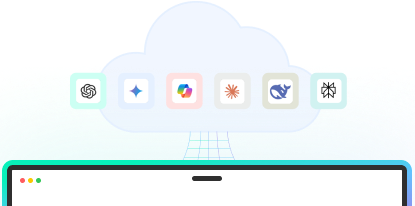
No cloud round-trip.
Classification, policy decisions, and anonymization all happen on-device, in the browser. Prompt content never leaves the device and is never sent to the cloud.
How it works
On-device. SLM-based.
No cloud round-trip.
MagicMirror’s lightweight Small Language Model (SLM) runs in the browser. Every employee prompt is classified and protected before it leaves. Three things competitors can't match.
Without Delay
Sub-100ms decisions.
Without Delay
Sub-100ms decisions.
Protected prompts feel identical to using AI tools with no security in the way.
All in the Browser
Prompts stay on device.
All in the Browser
Prompts stay on device.
Classification, policy decisions, and anonymization happen in the browser. No third-party data processor. Nothing for your security review to question.
Like Magic
Deploys via your IdP or MDM.
Like Magic
Deploys via your IdP or MDM.
Uses the security control plane you already have, and the browser extension can deploy in minutes not days.
Products
The MagicMirror AI Security Platform.
Four products, one platform. Coverage across every web AI tool your employees use.

See it
AI Risk Monitoring
See every AI tool, account, and prompt used across your organization – both personal and enterprise logins. Real-time dashboards and proactive risk assessment by department, role, and risk level.


Control it
AI Policy Enforcement
Set rules for how AI gets used and accessed. Allow, guide, protect, or block and redirect, all on-device, in milliseconds.

Protect it
AI Data Protection (Marv)
Last-mile protection for PII, PCI, PHI, and IP. Marv detects and anonymizes sensitive data on-device, before it leaves. Specialized models for industry verticals like financial services, healthcare and legal.

Measure it
AI Insights
Measure AI productivity, proficiency, and adoption. The Insights Agent scores anonymized prompt sessions and surfaces patterns that drive ROI.
Agent Protection
AI is quickly moving beyond the browser.
MagicMirror offers expanded protection for workforces using local agents like Cursor, Claude Code and more. These signals are representative of organizations who should consider expanded AI security features.
AI agents are in production
Engineers using Cursor or Claude Desktop. Sales using ChatGPT Desktop. Browser extensions don't see local AI agent prompts. MagicMirror for Agents does.
MCP-connected workflows are in use
Agents calling tools (Slack, Jira, GitHub, databases) via the Model Context Protocol. The traffic is bidirectional and lives outside the browser. MagicMirror for Agents includes an MCP Proxy that sees and secures it.

Clipboard data movement is a known issue
Sensitive data routinely moves from corporate apps into AI tools via copy-paste. The browser can't see what came from where. MagicMirror for Agents includes Clipboard Monitoring that tracks data movement across the device.
Compliance demands endpoint-level audit
Some regulators want a full audit trail of AI activity at the device level, not just the browser. MagicMirror for Agents includes a daemon that provides one central audit surface across every AI activity on the device.
Frequently Asked
Questions CISOs ask about AI in Browser deployment.

Which browsers are support?
Chrome, Edge, Brave, and Arc are fully supported (all Chromium based browsers are support). We provide a clear policy decision for unsupported browsers (typically: block AI tool access on unsupported browsers, redirect to a supported browser).
What happens when an employee uses an unsupported browser?
MagicMirror's coverage depends on the browser extension being present. For unsupported browsers, you have three options: (1) configure your IdP to require a supported browser for AI tool access, (2) configure MagicMirror for Agents to fill the gap (it has visibility outside the browser), or (3) accept the gap and address it via training.
Does this coexist with our DLP?
Yes. Your DLP sees file transfers and network traffic; MagicMirror sees what an employee types into a chat window and content in the files, protecting the data before the prompts and files are sent. The two cover different surface areas. Most customers run them together.
Compatible with our identity provider?
Okta, Entra ID (Azure AD), Google Workspace, and OneLogin are supported via SCIM. Custom IdP integrations are scoped during the discovery call.
What's the performance impact in the browser?
Sub-100ms classification per prompt, on-device. Indistinguishable from native browser behavior for allowed prompts. The user sees no delay when the policy answer is yes.
Can we start with MagicMirror in Browser and upgrade to MagicMirror for Agents?
Yes. Most customers do. MagicMirror in Browser is the natural starting point, and MagicMirror for Agents adds the on-device daemon to the same architectural foundation. Policies, dashboards, and integrations carry over. The upgrade is additive, not a re-evaluation.
Gain visibility to your AI usage in just 48 hours.
Get started
Schedule a demo with our team. We'll help you deploy MagicMirror and unlock full visibility to your company's AI usage in just 48 hours.
Questions? sales@magicmirrorsecurity.com



